Create Meta Product Sets from Shopify Collections (with Internal Labels)
A Meta (Facebook) product set that mirrors a Shopify collection is the cleanest way to point a dynamic ad, an Advantage+ catalog campaign or a shop section at "just these products". The feed already carries everything Meta needs for that: every product is exported with internal labels — one for each collection it belongs to. This guide shows the recipe (Internal label → is → your Shopify collection id), why internal labels beat the old "collection ids in a custom label" approach, and the two cases where custom labels are still the right tool.
Don't have Awesome Feeds yet? Install it from the Shopify App Store →
1 Check that your feed exports internal labels
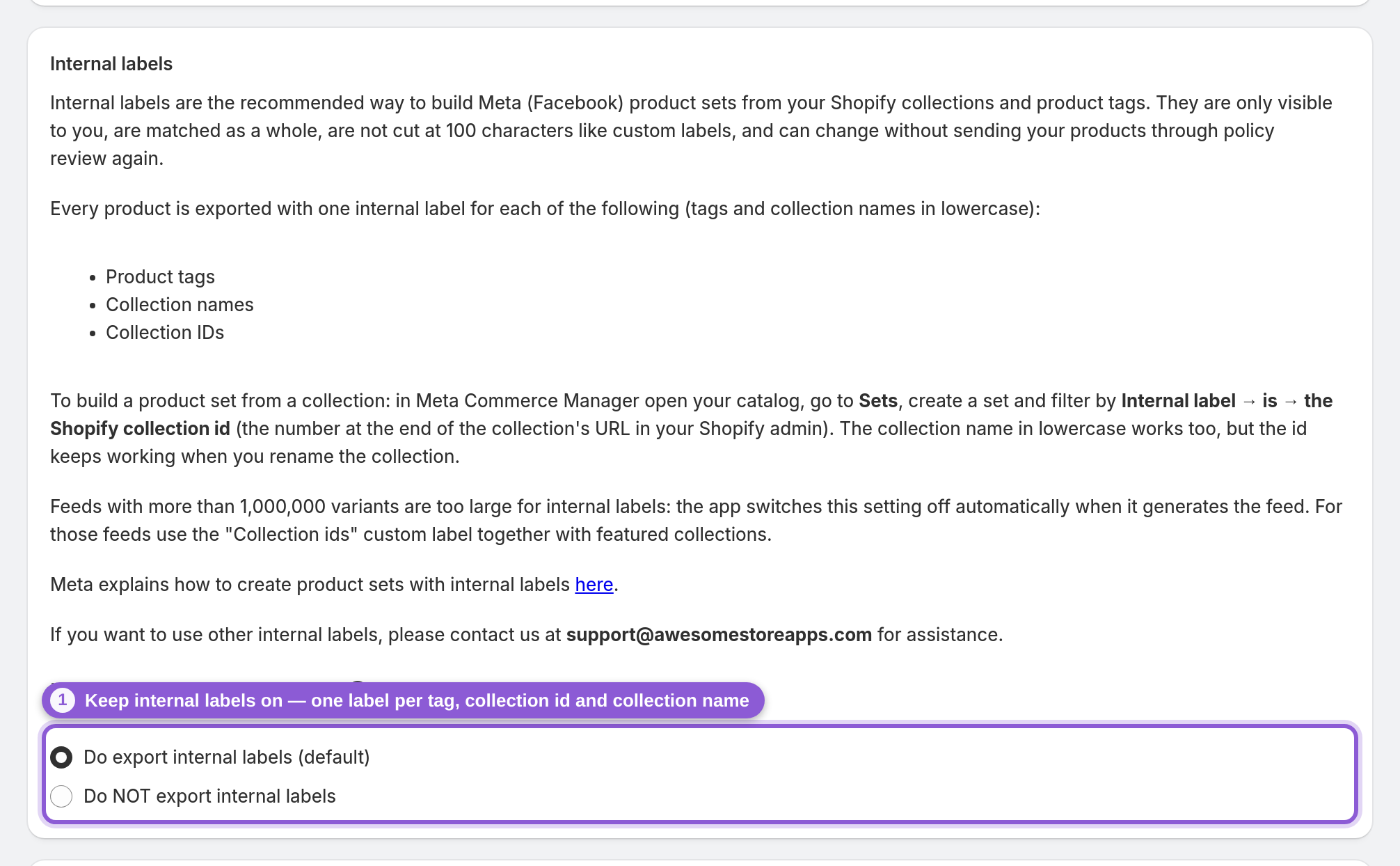
Open your feed in the Advanced editor (on the dashboard: Actions → Edit (advanced)) and scroll to the Internal labels section. Do export internal labels (default) should be selected — it is for every new feed. With it on, each product in the feed gets one internal label per product tag, per collection ID and per collection name. Tags and collection names are exported in lowercase; collection IDs are exported exactly as Shopify shows them. If you just switched it on, save the feed and wait for it to regenerate and for Meta to fetch it again.
2 Find the Shopify collection id
In your Shopify admin open Products → Collections and click the collection. The collection id is the number at the end of the page address — for admin.shopify.com/store/your-store/collections/428137152739 it is 428137152739. Copy it. You can filter on the collection name instead, but the id is the robust choice: it never changes, while a renamed collection silently empties a set that filters on the old name.
3 Create a product set in Commerce Manager
In Meta Commerce Manager open the catalog you added your feed URL to, go to Sets and choose Create set with filters (not a manual selection). A filtered set stays in sync on its own: every time Meta fetches your feed, products that joined the collection enter the set and products that left it drop out. Meta's own walkthrough of sets is in Meta's product sets guide.
4 Filter by Internal label → is → collection id
In the filter row choose Internal label, the condition is, and paste the collection id from step 2. Internal labels are matched as a whole, so 428137152739 only matches products that carry exactly that label — never a product whose label merely contains those digits. Commerce Manager previews the matching products right away; the count should be in line with the number of products of that collection that are in your feed.
5 Combine collections, then name and save the set
Add more filter rows to combine labels: any of several collection ids for a broader set, or all of them to narrow it down (for example the collection id plus the internal label bestseller, which comes from the product tag). Give the set a name your ad team will recognise — the Shopify collection name works well — and save. The set is now available when you create an Advantage+ catalog ad or a shop collection.
6 When you still need custom labels and featured collections
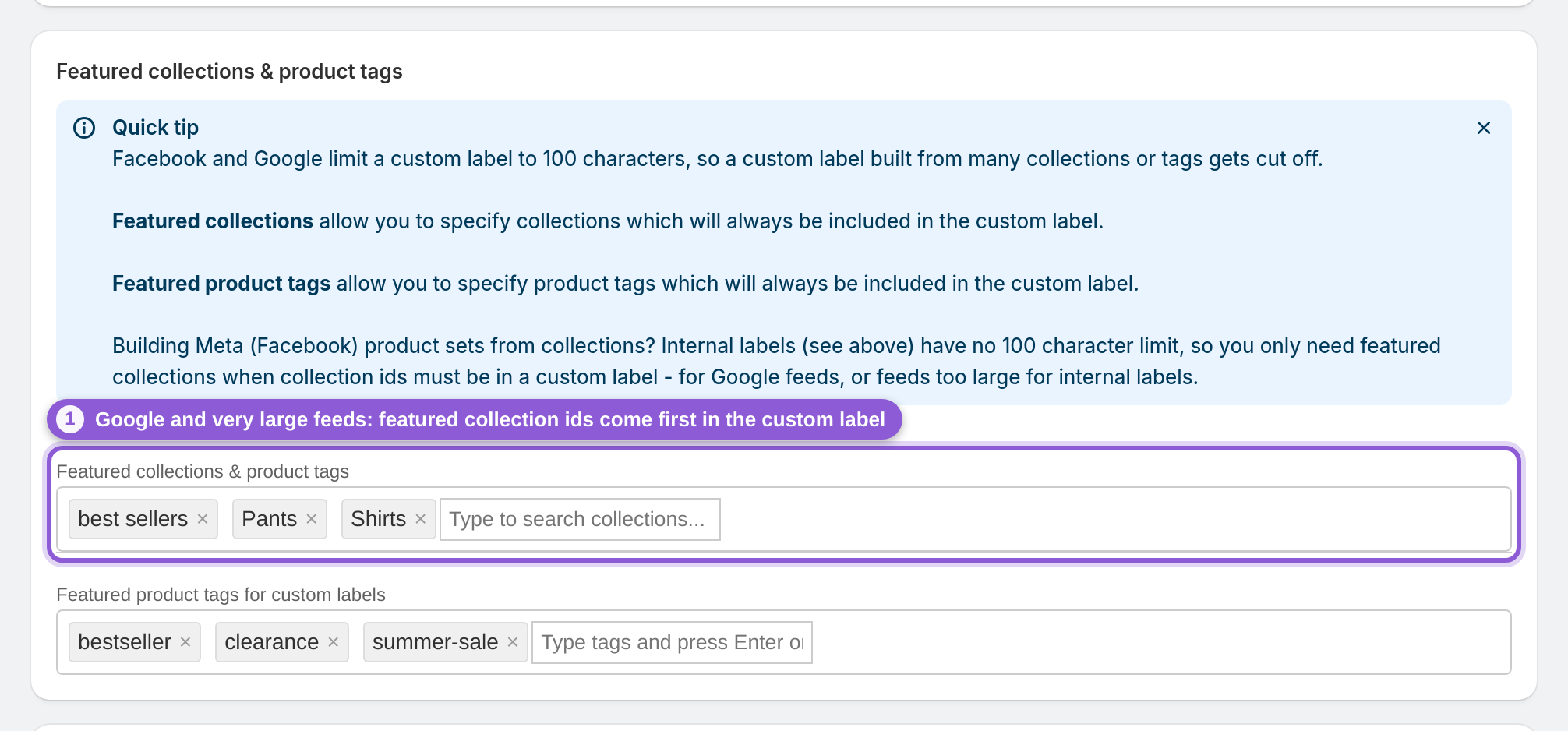
Two cases remain for the Collection ids (comma separated) custom label. Google: Google Merchant Center has no internal labels, so for Google feeds custom_label_0–4 stay the only way to segment. Very large feeds: above 1,000,000 variants the app switches internal labels off automatically while it generates the feed (the editor then shows Do NOT export internal labels). In both cases a custom label holds at most 100 characters, so list the collections you filter on under Featured collections — their ids are placed first and survive the cut-off.
Frequently asked questions
How do I create a Facebook product set from a Shopify collection?
Make sure your feed exports internal labels (it does by default), copy the collection id from the collection's address in your Shopify admin, then in Meta Commerce Manager open your catalog, go to Sets, create a filtered set and choose Internal label → is → the collection id. The set fills with that collection's products and stays in sync whenever Meta fetches the feed.
What is an internal label in a Meta catalog?
An internal label is a catalog field made for building product sets. Labels are only visible to you — shoppers never see them — and a product can carry up to 5,000 of them, each up to 110 characters. The app writes one internal label for every product tag, every collection id and every collection name of a product.
Why are internal labels better than custom labels for product sets?
Four reasons. They are matched as a whole, so a filter never catches a product by accident. There is no 100-character cut-off: a custom label holding a comma-separated list of collection ids runs out of room after about seven ids, so products in many collections lose some. Meta lets internal labels change without sending the item through policy review again, which can otherwise affect ad delivery. And they are invisible to shoppers, while custom labels are meant for text you may show in ad creative.
Should I filter on the collection id or the collection name?
Prefer the id. Both are exported, but the id never changes, while renaming a collection in Shopify changes the label and empties any set that filters on the old name. If you do use the name, type it in lowercase — that is how the feed exports it.
Can I use product tags in a product set too?
Yes. Every product tag is exported as an internal label in lowercase, so a filter such as Internal label → is → bestseller works the same way, and you can combine tag labels with collection ids in one set.
Does this work for Google Shopping feeds?
No. Google Merchant Center has no internal label field. For Google, segment with the five custom labels (custom_label_0–4); each holds one value of up to 100 characters, and Google allows up to 1,000 unique values per label across your account.
My feed is very large — why is "Do NOT export internal labels" selected?
Feeds with more than 1,000,000 variants are too large to carry internal labels, so the app switches the setting off automatically when it generates the feed. For those feeds, put Collection ids (comma separated) in a custom label, add the collections you filter on under Featured collections so their ids come first, and filter the product set on that custom label with the condition "contains".
Do country and language feeds include internal labels?
No. A feed with an override value (a Meta country or language feed) only localizes products that are already in your catalog, so the app leaves internal labels out of it and keeps the file small. Your product sets take their internal labels from your main feed, so build them on the main feed's catalog as usual.
Can I export other internal labels, for example from a metafield?
The app exports product tags, collection ids and collection names. If you need other internal labels, write to us at support@awesomestoreapps.com and we will help you set them up.
I already use collection ids in a custom label. Do I have to change anything?
Existing sets keep working. It is worth switching sets for collections whose products sit in many collections, because those are the ones that lose ids to the 100-character limit — create the new set on the internal label, check that its product count is at least as high as the old one, then point your ads at it.
Can the app create the product sets for me?
No. The app does not create or sync product sets for you. You build them yourself in Meta Commerce Manager with the internal label recipe above. That recipe needs no Facebook connection and works in any catalog your feed is loaded into.
How long until a new product shows up in the set?
A product appears once the app has rebuilt your feed and Meta has fetched it again. The app rebuilds automatically after product or collection changes. Each feed waits between rebuilds: about 16–24 minutes for feeds of up to 1,000 products, longer for bigger feeds. Use Update now to queue a rebuild right away. Meta fetches on the schedule you set for the data feed in Commerce Manager — hourly or daily are typical.